
SMS Server
GOIP SMS Management Server is used to control sending message. User can send、search or other operations on the web server
SMS Server for GSM Gateway – Secure and Compliant Messaging Solution
Our SMS server for GSM gateways is a reliable communication platform designed to facilitate legitimate, permission-based SMS delivery for businesses and organizations. It enables seamless integration with GSM hardware to send and receive SMS messages efficiently, while maintaining full compliance with local telecommunications regulations.
This system is ideal for:
-
Customer service notifications
-
Appointment reminders
-
Emergency alerts
-
Internal staff communications
-
Secure two-factor authentication (2FA) messages
Important Note:
This SMS server is not designed or intended for use as an SMS server for for sending unsolicited, bulk, or spam messages. It is strictly for authorized and lawful messaging purposes, and includes built-in features to prevent misuse, including rate limiting, opt-out support, logging, and audit trails to ensure accountability and transparency.
By using this system, users agree to comply with applicable data privacy laws (e.g., GDPR, DPA, or local equivalents) and anti-spam legislation.

Send SMS to the entire company

Sent SMS to a specific Department

Adding a recepeint and adding to a department / company

Send directly to a specific number
Sample only, actual SMS server has an english version.

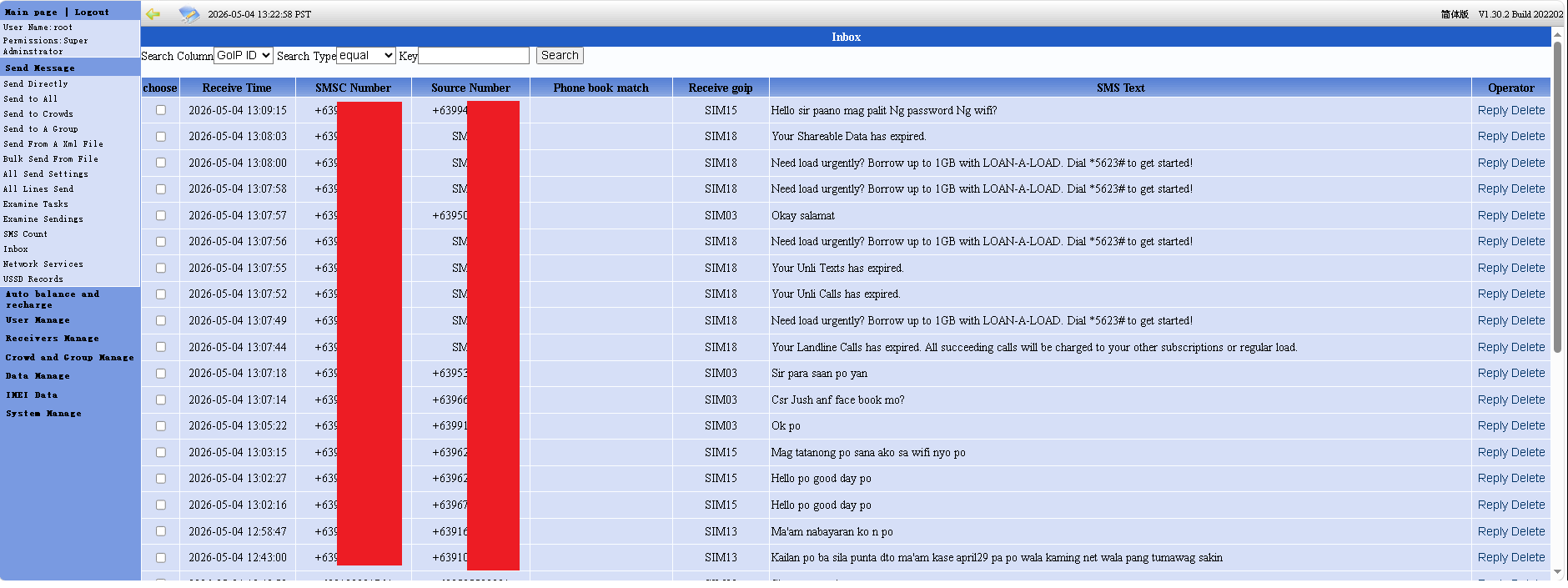
Inbox
Sample only, actual SMS server has an english version.
GoIP SMS server XML Generator
1. Enter Provider
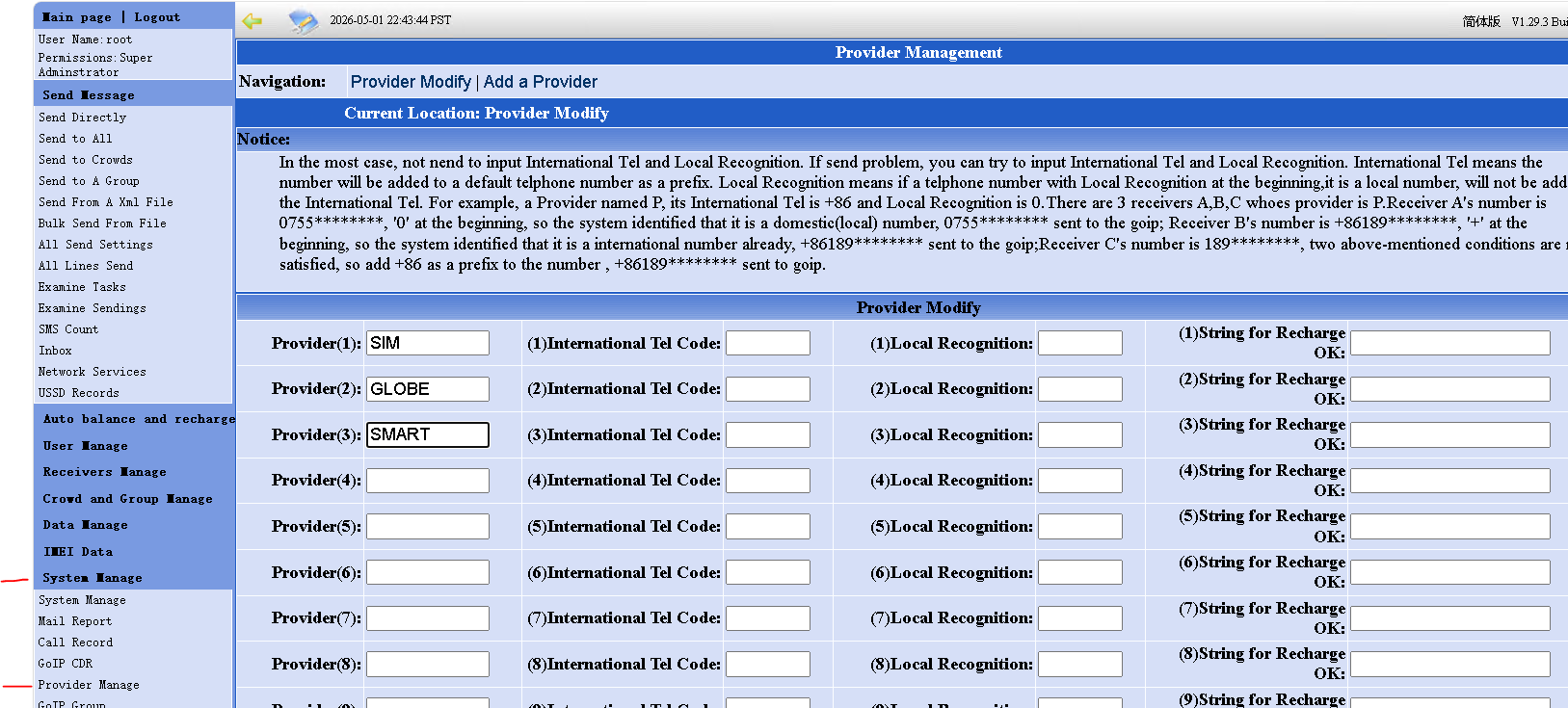
The provider name must be copied exactly from your GoIP SMS Server provider list. Common examples from previous deployments are SIM or SIMNETWORK. Please check it manually to avoid sending errors.
Login to your GoIP SMS Server, then go to System Manage > Provider Manage. Copy the exact provider name listed there. Example: SIM or SIMNETWORK, depending on what is configured in the client GoIP.
2. Enter SMS Message
3. Add Mobile Numbers
Excel format: put the mobile numbers in the first column only. The first row may be a header. Numbers like 91622225311, 639162225311, or +639162225311 will be corrected to 09162225311.
Paste one number per line. The system will auto-correct valid Philippine mobile numbers to the standard 11-digit format starting with 0.
How to Send Your SMS (Simple Guide)
1. Open your GoIP SMS Server
2. Go to Bulk Send From File
3. Click Choose File and select the downloaded SMS server.xml
4. Click Send
That’s it — your messages will be sent automatically.
